Downloading tachograph data correctly is the first step in any compliance workflow. A poor-quality reader leads to corrupted files, incomplete downloads, or missed deadlines. This guide walks through the key criteria to evaluate before buying.
Connection Type: USB vs Bluetooth
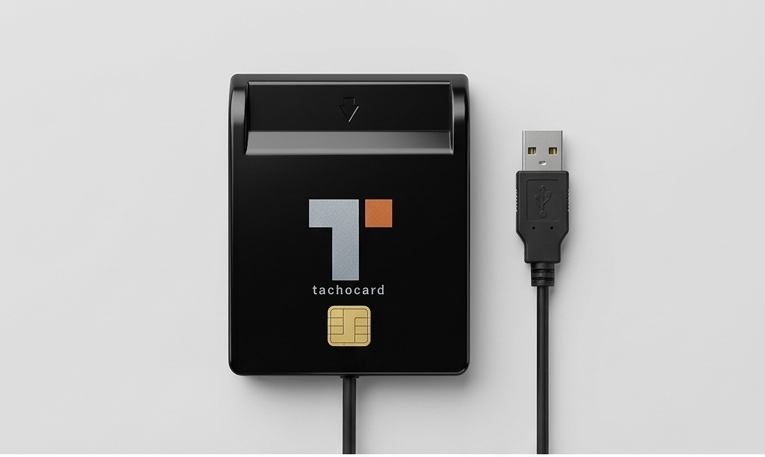
USB readers are the most common choice for office-based download stations. They offer:
- Highly reliable data transfer
- No pairing or battery concerns
- Plug-and-play compatibility with TachoCard's desktop uploader
- Lower price point (€29–€45)
Bluetooth readers are ideal for drivers who download their own cards remotely, without visiting the office. Benefits include:
- Pairs with the TachoCard mobile app
- No cables needed
- Can operate in a vehicle cab
- Slightly higher cost (€55–€79)
For most fleets, we recommend a USB reader at the company office combined with the option for drivers who travel internationally to have a personal Bluetooth model.
Generation Compatibility: Gen 1 vs Gen 2
All tachograph cards in use today are either Generation 1 (analogue/digital, pre-2019) or Generation 2 (smart tachograph, introduced under EU Regulation 165/2014 as amended).
Gen 2 cards carry more data and use stronger cryptography. Make sure any reader you buy explicitly states dual-generation support — readers marketed as "digital tachograph" without a Gen 2 note may not fully support the newer format.
All readers available in the TachoCard store are tested for Gen 1 + Gen 2 compatibility.
Multi-Card vs Single-Slot
Single-slot readers are sufficient for most drivers downloading their own cards. Multi-slot readers (4 or 8 card slots) are designed for transport companies performing batch downloads of multiple driver cards in one session — typically at the end of a driving week.
What to Avoid
- Readers without a recognised CE mark
- Cheap unbranded readers with no firmware update capability — encryption validation for Gen 2 cards requires occasional firmware updates
- Readers bundled with proprietary software that locks you into a specific platform (TachoCard works with any standards-compliant
.dddfile)
TachoCard Certified Readers
Every reader in the TachoCard store has been validated to produce correctly formatted .ddd files compatible with our upload pipeline:
| Model | Type | Gen Support | Price |
|---|---|---|---|
| TachoReader USB Lite | USB | Gen 1 + 2 | €29 |
| TachoReader USB Pro | USB | Gen 1 + 2 | €45 |
| TachoReader Bluetooth | Bluetooth | Gen 1 + 2 | €69 |
| TachoReader Multi-4 | USB, 4-slot | Gen 1 + 2 | €79 |
Getting Started
Once you have your reader, the TachoCard upload process takes under a minute:
- Insert the driver card
- Open TachoCard (desktop or mobile)
- Click Upload Card Data — the app detects the reader automatically
- Review the analysis within seconds
Related articles
- Tachograph card reader guide: USB, Android, Gen 2 compatibility
- Card reader compatibility guide: VDO, Stoneridge & Continental
- How to download driver card data
Ready to buy? Visit the TachoCard store for hardware compatible with all TachoCard plans.