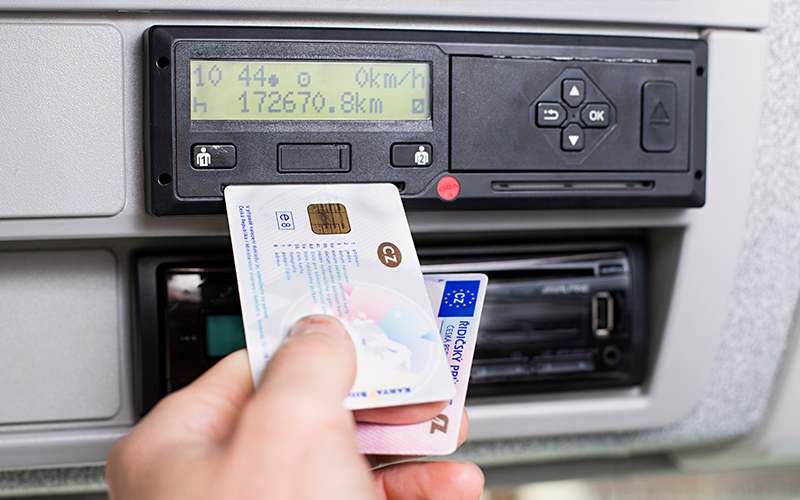
"Can I download tachograph files remotely?" is one of the most common questions from growing fleets trying to reduce manual compliance work. The short answer is yes, for vehicle units — but it requires additional hardware, not just software, and it's worth understanding exactly what that involves before you invest in it.
What "remote tachograph download" actually means
Remote download refers to automatically retrieving data from a vehicle's tachograph unit (VU) without a person physically inserting a company card and downloading on-site. It does not apply to driver cards — those must still be downloaded with a card reader, either by the driver or at the office (see our driver card download guide).
Remote vehicle unit download requires three components working together:
- A telematics/GSM module wired into or paired with the vehicle's tachograph unit
- A mobile data connection (SIM card, usually managed by the telematics vendor)
- A remote server/platform that receives the downloaded
.dddfiles, typically on a set schedule (e.g. every 21 days, ahead of the legal 90-day vehicle unit deadline)
This is fundamentally a hardware and connectivity investment, not something a software platform alone can provide — no analysis software, including TachoCard, can remotely trigger a download from a vehicle unit without that telematics hardware already installed in the vehicle.
How the remote download process works, step by step
- The telematics module authenticates with the vehicle unit using a stored company card certificate (no physical card insertion needed for each download).
- On a schedule configured by the fleet or telematics provider, the module requests a data download from the VU.
- The VU exports the data in the standard
.dddformat, same as a manual download would produce. - The telematics module transmits the file over the mobile network to a remote server.
- From there, the file can be forwarded into a compliance platform for infringement analysis and reporting.
What remote download costs and requires
Remote download is generally aimed at larger fleets because of the setup involved:
- Hardware cost per vehicle: a telematics/remote-download module must be purchased and professionally installed in each vehicle.
- Ongoing connectivity cost: a data/SIM subscription per vehicle, billed by the telematics provider.
- Installation and maintenance: professional fitting is typically required, plus occasional maintenance as tachograph firmware or telematics hardware is updated.
- Minimum fleet size: because of the per-vehicle hardware and subscription cost, remote download is usually only cost-effective from roughly 15-20+ vehicles upward — smaller fleets are typically better served by manual downloads at the office.
Remote download vs manual download: which makes sense for your fleet?
| Manual download | Remote download | |
|---|---|---|
| Hardware needed | USB/Bluetooth card reader | Telematics module per vehicle |
| Driver involvement | Driver or office staff inserts card | None required per download |
| Upfront cost | Low (one reader per office) | Higher (hardware + install per vehicle) |
| Ongoing cost | None beyond software | SIM/connectivity subscription per vehicle |
| Best for | Small-to-mid fleets, owner-drivers | Larger fleets, high vehicle turnover routes |
| Missed-deadline risk | Depends on manual process discipline | Lower, if scheduled automatically |
Many fleets use a hybrid approach: driver cards downloaded manually (since that data can't be pulled remotely anyway), combined with remote vehicle unit download once fleet size justifies the hardware investment.
Where does "digital tacho download software" fit in?
This is an important distinction: "digital tacho download software" and "remote download hardware" solve two different problems.
- Download hardware/telematics gets the raw
.dddfile off the vehicle unit or driver card, manually or remotely. - Download/analysis software (like TachoCard) takes that
.dddfile — regardless of how it was obtained — and turns it into infringement checks, risk scores, and compliance reports.
TachoCard is a software analysis platform, not a telematics or remote-download hardware vendor. It works with:
- Manually downloaded driver card files (via a compatible card reader)
- Manually downloaded vehicle unit files
.dddfiles produced by third-party remote/telematics download systems, uploaded directly into TachoCard for analysis
If your fleet already has (or is evaluating) a telematics remote-download system, TachoCard can still be the analysis and compliance layer on top of it — you are not required to replace your existing hardware setup to get infringement detection and reporting.
Frequently asked questions
Can driver cards be downloaded remotely?
No. Driver card data can only be downloaded using a physical card reader with the card present — remote download technology applies to vehicle units, not driver cards.
Is remote download worth it for a small fleet?
Usually not, on cost grounds. The per-vehicle hardware and subscription costs of remote download are typically only justified once a fleet is large enough (commonly cited around 15-20+ vehicles) that the time saved outweighs the setup cost.
Does TachoCard sell or install remote download hardware?
No. TachoCard is a software platform for analyzing tachograph data, however it was obtained. Remote download hardware is purchased and installed through specialist telematics vendors.
What is "vehicle tacho download"?
This refers to downloading data from the tachograph unit built into the vehicle itself (as opposed to the driver's personal card), required at least every 90 days and done either manually with a company card or via remote/telematics hardware as described above.
Can I mix manual and remote downloads in the same fleet?
Yes. Many fleets download driver cards manually (since that data can't be pulled remotely) while using remote download for some or all of their vehicle units.
Related articles
- How often to download tachograph data: card and vehicle deadlines
- The EU 28-day download rule
- How to download driver card data
- TachoCard features
- Compare plans and pricing
Sources: EU Regulation (EU) No 165/2014; EU Regulation (EC) No 561/2006.